You're probably looking at a form builder pricing page right now and thinking the same thing most Shopify teams think: why does a simple form tool turn into a maze of limits, add-ons, branding rules, submission caps, and upgrade prompts?
That confusion is normal. Form pricing rarely reflects just “how many forms you can build.” It reflects how much of your lead capture, product discovery, support routing, and customer data collection you're trusting the tool to handle. For a Shopify store, the key question isn't which plan is cheapest. It's which plan produces the best return once you factor in conversion, labor, integrations, and the cost of a poor customer experience.
Table of Contents
- Why Form Pricing Is More Than a Subscription Fee
- Decoding Common Form Pricing Models
- Key Cost Drivers That Determine Your Plan
- The Hidden Costs Most People Forget
- Calculating ROI and Knowing When to Upgrade
- Your Checklist for Choosing the Right Form Plan
Why Form Pricing Is More Than a Subscription Fee
A Shopify store owner compares three form tools. One has a free plan, one looks affordable monthly, and one seems expensive at first glance. On paper, the cheapest option wins.
In practice, that decision often falls apart once the store needs a product recommendation quiz, branded lead capture, CRM syncing, conditional follow-up questions, or support forms that don't frustrate customers. What looked like a simple software purchase turns into a conversion decision.
Modern forms aren't passive collection boxes anymore. They're used to track entries, contacts created, and deals created, which is why many teams evaluate them like revenue tools rather than admin tools, as shown in ActiveCampaign's form statistics documentation. The same source set notes that even small UX changes, like button copy, can lift clicks by up to 90%.
Practical rule: If a form touches lead capture, quiz-based selling, or support triage, it belongs in your revenue stack, not your “misc tools” budget.
That's the frame most pricing pages skip. They list features, but they don't explain what those features do for margin, conversion, or team speed. A conditional logic feature isn't just a line item. It can be the difference between a shopper getting a relevant product path or abandoning the experience.
This is especially true for Shopify brands already balancing app spend against platform costs, payment fees, and theme work. If you're comparing software budgets, it helps to understand broader Shopify subscription options before deciding how much room you have for conversion tooling.
A better buying process starts with use case. If your store needs email capture for launches, sample requests, wholesale inquiries, or guided selling, review the structure of a strong lead capture form template before you compare plans. It will tell you more about what you need than any vendor's headline price.
Decoding Common Form Pricing Models
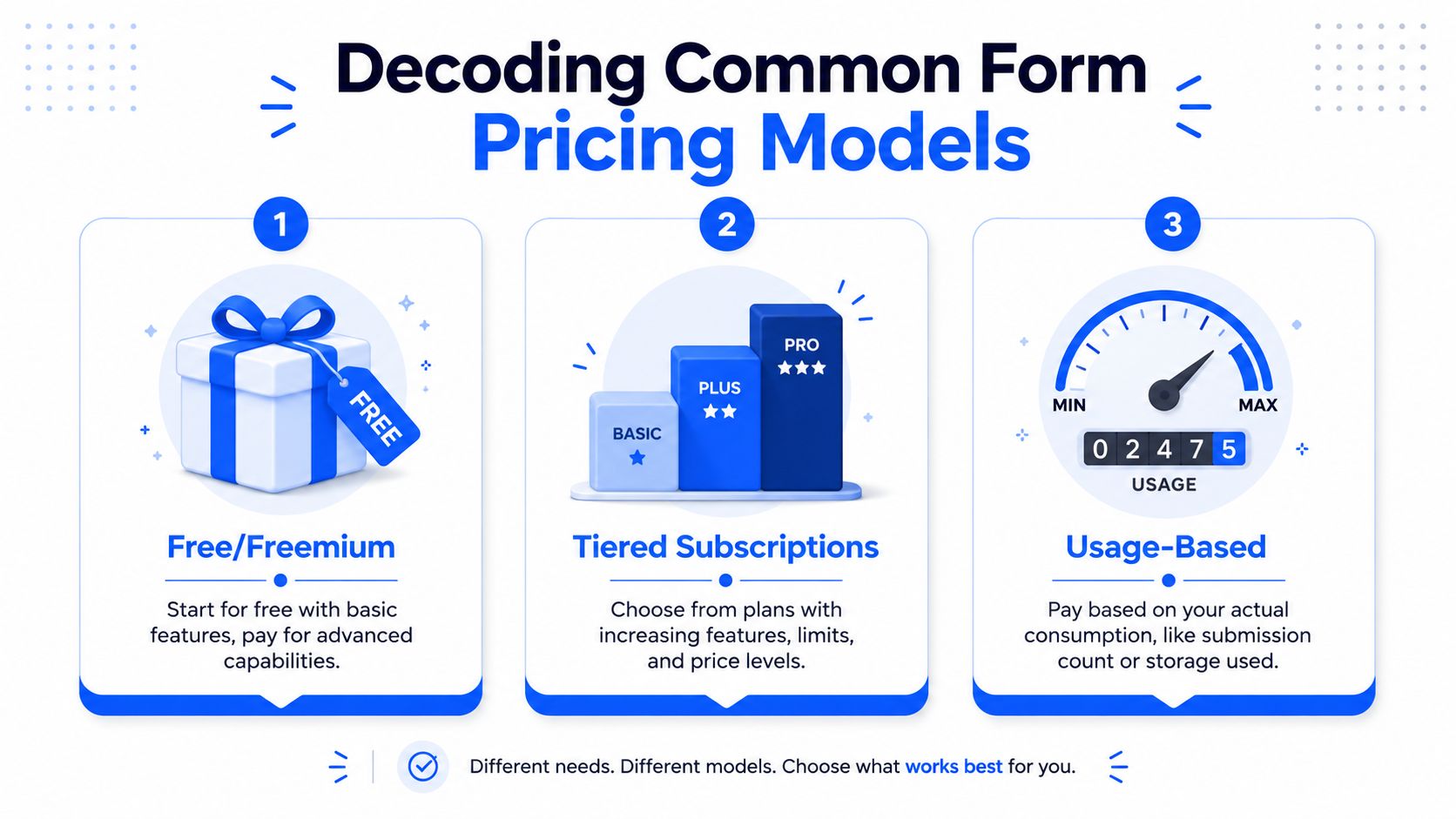
Most form builders package pricing in one of three ways. Once you know the pattern, pricing pages get easier to decode.
Why most vendors default to tiers
The most common structure is the tiered subscription. Neutral comparisons of the market show that free plans usually come with submission caps and branding, while paid tiers provide features and usage in steps, which creates a non-linear cost-per-response curve that teams need to evaluate for total ownership, according to the form builder cost calculator overview.
The three models usually work like this:
| Model | Best For | Common Limitations |
|---|---|---|
| Free/Freemium | Early testing, tiny stores, one-off campaigns | Vendor branding, low submission limits, missing logic or integrations |
| Tiered Subscriptions | Most Shopify stores, marketing teams, steady usage | Forced upgrades when you hit feature or volume thresholds |
| Usage-Based | Variable traffic, campaign spikes, event-driven demand | Harder budgeting, rising costs as submissions grow |
Free/freemium works like a sample. It's useful for validating a concept or launching a small waitlist. It usually breaks once you need stronger branding, better analytics, or automation.
Tiered plans work like mobile plans. You choose a package, and each step up gives you more room, more features, or fewer restrictions. Many organizations gravitate towards this model because it's easier to budget.
Usage-based pricing sounds fair because you pay for what you use. It can work well for stores with unpredictable volume. It can also become annoying if every campaign makes finance ask why forms suddenly cost more this month.
How to read a pricing page quickly
When I review form pricing, I ignore the monthly number first. I look at the lock points. Those are the specific limits that trigger pain later.
Check these first:
- Submission caps: A plan may look cheap until a product quiz or seasonal campaign pushes you into overages.
- Feature gates: Conditional logic, hidden fields, analytics, answer piping, and CRM syncing are often held for higher plans.
- Branding restrictions: If the free or low-tier plan adds the vendor's logo, that can weaken trust on high-intent pages.
- User limits: A plan that works for one marketer may fail when retention, support, and merchandising all need access.
- Integration depth: “Integrates with Shopify” can mean anything from a basic embed to usable automation.
If you're already mapping app spend across your store stack, it helps to compare this decision against broader guides on understanding Shopify costs. Form software doesn't live in isolation. It competes with every other tool in your growth budget.
Some plans are cheap only if nothing changes. Most Shopify stores change fast.
Key Cost Drivers That Determine Your Plan
The pricing model tells you the container. The cost drivers tell you where you'll land.
The limits that force upgrades
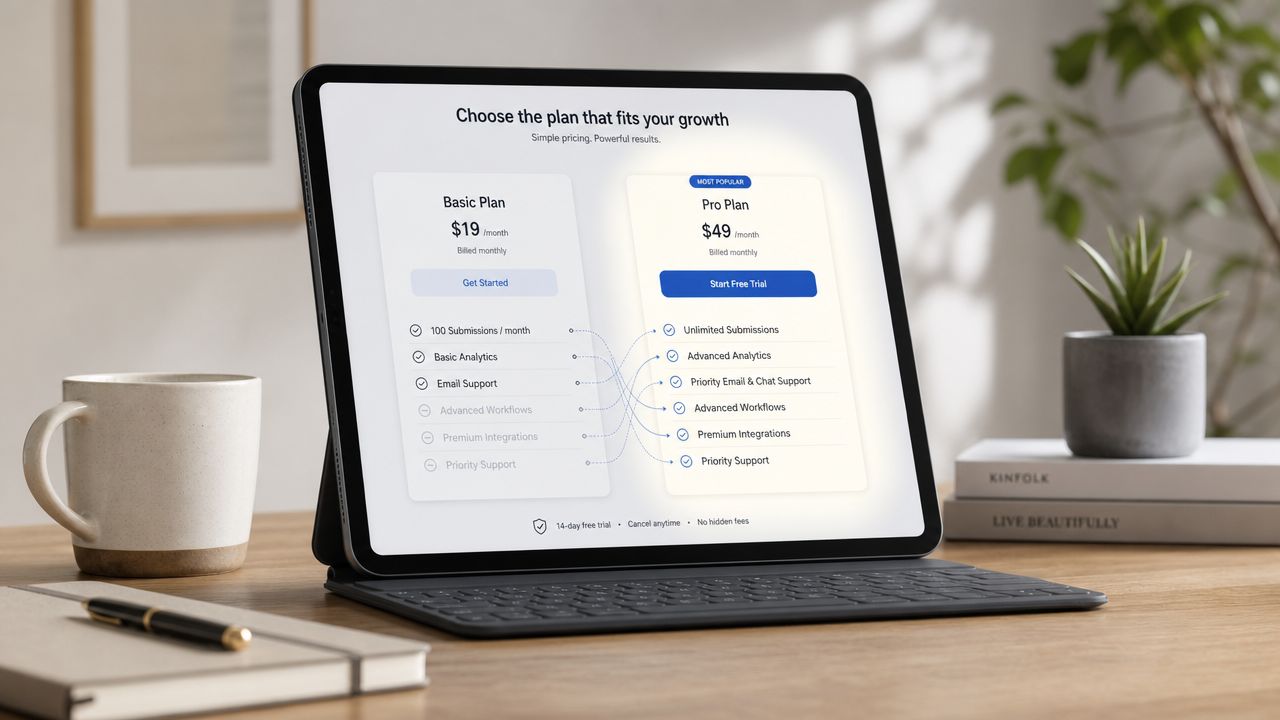
The first driver is monthly submission volume. This is the obvious one, but teams still underestimate it. A form used only on the contact page behaves very differently from a quiz embedded on product pages, a popup for email capture, or a returns workflow used post-purchase.
The second driver is advanced functionality. Conditional logic, branching, calculated outcomes, custom endings, and analytics tend to be what separates a basic data collector from a real growth tool. If your form needs to adapt based on answers, route people differently, or qualify shoppers before sales follow-up, basic plans usually run out of road quickly.
Third is branding and design control. If you care about consistency with your theme, campaign landing pages, and mobile experience, you need more than a default embed. On Shopify, a form that feels disconnected from the store often performs like a third-party interruption.
A fourth driver is team access. Solo operators can live with one login for a while. That gets messy when customer support needs to review submissions, lifecycle marketing needs audience data, and ecommerce managers want to analyze drop-off.
The fifth is API access and automation. This matters less at launch and much more later. Once a store wants to sync responses to a CRM, trigger flows, update profiles, or move data into internal reporting, the lower tiers often stop being practical.
When a higher plan is justified
Not every upgrade is wasteful. Some are clean business decisions.
A higher plan usually makes sense when:
- You need better qualification: If your wholesale, sample, or custom-order forms need to screen users before a human steps in, logic and routing save time.
- You run multiple use cases: The same tool may need to handle lead capture, product quizzes, support intake, and post-purchase feedback.
- You care about data quality: Validation, structured answers, and better completion flows reduce cleanup later.
- You want faster deployment: A no-code system with reusable templates often beats custom work when campaigns move quickly.
If you're still early and trying to estimate what your workflow will require, experimenting with an AI form generator can help expose feature needs fast. Once you generate a real flow, the upgrade pressure points become obvious. You can see whether your process requires branching, logic, qualification, or only simple fields.
One practical example is a product recommendation flow. If the form only asks for email, almost any tool can handle it. If it asks about skin type, scent preference, budget, gift intent, and purchase timing, then routes people to different outcomes and captures segmented data for follow-up, your plan requirements change immediately.
Buy for the workflow you need in the next stage, not the toy version of the workflow you can afford today.
The Hidden Costs Most People Forget
The biggest mistake in form pricing is treating the monthly fee as the total cost. It rarely is.
Cost resides in setup time, workflow design, integrations, governance, and the drag a weak form creates across the customer journey. In B2B software buying, this wider view matters enough that 62% of technology buyers said security, integration, and compliance concerns materially affected purchase decisions in a 2024 Deloitte survey cited in this analysis of software buying considerations. That's a useful lens for Shopify teams too, because “price” often stands in for operational risk.
Implementation cost is real work
A form builder can be inexpensive and still costly to launch.
Someone has to do the work:
- Build the flow: Questions, logic, redirects, outcomes, validation, and testing
- Match the brand: Colors, copy, imagery, mobile layout, embedded placement
- Connect the stack: Email platform, CRM, help desk, analytics, and sometimes middleware
- Document ownership: Who updates it, who checks submissions, who fixes issues
That work has a labor cost even if no invoice calls it out. If the tool is clunky, the cost rises because simple edits start requiring extra review, workaround logic, or developer help.
A common example is a quiz used for product discovery. Teams often budget for the app itself but not for writing the questions, mapping recommendation logic, creating outcomes, and QA across devices. Those hours belong in your TCO calculation.
Cheap software can be expensive operations
A low-cost plan becomes expensive when it creates friction elsewhere.
Here's where that shows up most often:
- Integration gaps: If the form doesn't connect cleanly to your systems, your team ends up exporting CSVs, reformatting fields, or relying on manual transfer.
- Training burden: If only one person understands how the tool works, every change becomes a bottleneck.
- Weak governance: Without clear permissions and structure, old forms stay live, data gets messy, and attribution gets harder.
- Opportunity cost: A generic form can collect data, but it may fail to persuade, qualify, or route users effectively.
A form tool that saves money on software but wastes team hours isn't cheaper. It just hides the bill in operations.
For Shopify brands, hidden cost also includes channel fit. A popup lead form, embedded product quiz, customer support intake, and post-purchase survey don't behave the same way. If a tool handles one format well but struggles with the others, you either compromise the experience or start adding more apps.
That's how app stacks get bloated. One tool for popups, another for forms, another for quizzes, and another for support routing. The monthly spend is only part of the issue. The larger problem is fragmentation, duplicated work, and inconsistent customer data.
Calculating ROI and Knowing When to Upgrade
A form tool deserves a budget only if it changes outcomes. That's the standard.
A practical ROI model is simple:
Value of additional leads or sales minus software and operating cost equals ROI.
A simple ROI model for Shopify teams
The baseline matters. Across industries, the average form conversion rate is 1.7%, while multi-step forms convert 86% higher and inline validation boosts success rates by 22%, based on Ruler Analytics data cited in WPForms' online form statistics roundup. That doesn't mean every Shopify form will produce the same lift. It does give you a rational benchmark for deciding whether better form software can pay for itself.
Here's how I'd calculate it for a store using a product recommendation or lead capture flow:
- Start with current traffic to the form
- Estimate current completions using your existing setup
- Model what happens if the experience improves
- Assign a value to each qualified lead or assisted sale
- Subtract subscription cost and operating cost
You don't need perfect certainty. You need a realistic decision model.
If your current form is flat, long, and generic, and the replacement introduces a cleaner multi-step flow, stronger validation, and branded outcomes, even a modest improvement can justify the spend quickly. That's why a paid plan often makes more sense than it appears from the price page alone.
One option in this category is VeeForm, which Shopify teams can use to build quizzes, sign-up flows, surveys, and support forms with no-code logic, branded customization, and analytics. It fits cases where the form itself is part of conversion work rather than a static contact page.
Upgrade triggers that actually matter
Upgrades should follow business signals, not vendor nudges.
Common triggers include:
- You're hitting submission limits regularly: That means the form is working, and the cap is now suppressing growth or creating risk.
- You need conditional logic: Once your audience segments matter, a one-size-fits-all form becomes inefficient.
- You need analytics to improve performance: Without visibility into starts, completions, and drop-off, optimization turns into guesswork.
- You need CRM or email sync: Manual processing is tolerable at low volume and painful after that.
- Your forms affect sales quality: If better inputs create better follow-up, the tool has direct revenue impact.
A short walkthrough can help when you're evaluating how form structure affects conversion and setup choices:
The wrong time to upgrade is when the team is already buried in manual work and patching around limitations. The right time is slightly earlier, when the form has proved it matters and the next set of features will remove friction or improve revenue outcomes.
Your Checklist for Choosing the Right Form Plan
Most buyers don't need more pricing tables. They need a filter.
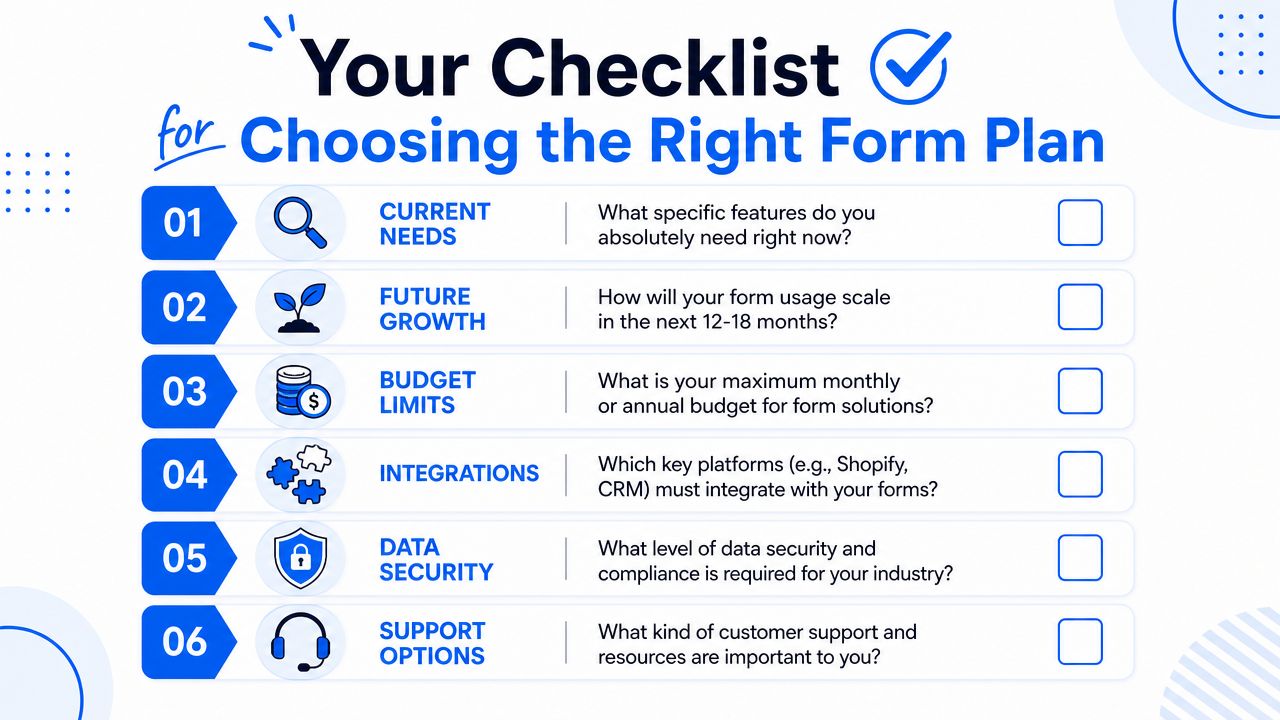
Questions to ask before you buy
Use this checklist before you choose any form pricing plan:
- Current needs: What does the form need to do right now? Capture emails, qualify leads, recommend products, route support, or collect post-purchase feedback?
- Expected growth: Will this stay a single form, or will it expand into multiple customer journeys across the store?
- Feature lock points: Which capabilities are essential, such as logic, analytics, branding control, user permissions, or integrations?
- Operational fit: Who owns the tool after launch? Marketing, ecommerce, CX, or sales?
- Total cost: What extra work sits outside the subscription, including setup, QA, training, maintenance, and middleware?
- Scalability risk: What happens when usage increases, more teams need access, or the workflow becomes more complex?
If you're evaluating options for quizzes, product recommendation flows, and other store interactions, reviewing an ecommerce form builder is a useful way to compare feature fit against actual Shopify use cases instead of abstract plan names.
Don't buy the cheapest plan you can survive with. Buy the plan that supports the workflow without creating downstream labor.
Good form pricing decisions come from matching the tool to the economics of the workflow. If the form is incidental, keep costs lean. If the form influences lead quality, conversion, support efficiency, or customer data quality, treat it like a revenue asset and price it accordingly.
If you want to test that approach in practice, VeeForm is built for Shopify teams that need branded quizzes, lead capture flows, surveys, and support forms without a heavy setup process. It's a practical option when you want to evaluate form pricing based on total cost of ownership and ROI, not just the monthly fee.
